
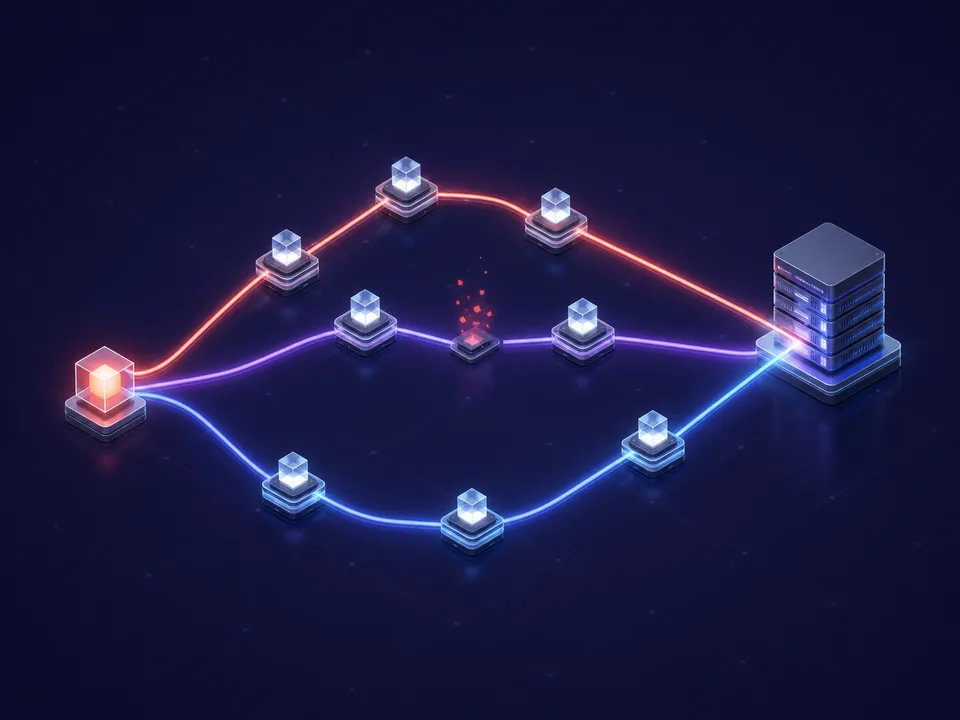
Multipath routing
ExitLag says Multipath sends connection packets through multiple routes. If one path encounters trouble, other active routes are intended to help maintain delivery and connection stability.

Learn how ExitLag evaluates game-specific network paths in real time, then decide whether its routing tools fit your connection.
ExitLag is a third-party product. This website is an independent informational guide and is not owned, sponsored, or endorsed by ExitLag.
The useful question is not whether a routing tool sounds fast. It is whether the same game, region, and server behave more consistently on your connection.
“I would compare median ping, spikes, and packet loss across several sessions—not judge the tool from one unusually good match.”
“Cross-region routing is where I would test first, because the default ISP path may take unnecessary hops before reaching the game server.”
“On a shared connection, I would look at Traffic Shaper and check whether background downloads create fewer in-game spikes.”
These are transparent, illustrative user scenarios created for this guide. They are not verified customer endorsements or performance claims.
ExitLag’s official materials describe a set of tools that work together: route analysis, redundant paths, and traffic priority for selected games.
ExitLag says Multipath sends connection packets through multiple routes. If one path encounters trouble, other active routes are intended to help maintain delivery and connection stability.

Multi-Internet can combine up to four available internet sources, according to ExitLag. A remaining active source can support the session if another connection becomes unavailable.
Traffic Shaper prioritizes selected game traffic and limits competing bandwidth use from other apps. It is designed to reduce the effect of background activity on a gaming session.
Product facts above are summarized from ExitLag’s official Technology and Help Center pages. Features, availability, and naming may change.
We translate official product documentation into practical questions gamers can test on their own connection.
ExitLag is a game connection optimizer. It analyzes routes between your device and a selected game server, then directs supported game traffic through routes chosen for latency, packet delivery, and stability. It cannot shorten the physical distance to a server or repair a weak local Wi-Fi signal.
No. ExitLag describes itself as a game connection optimizer, not a privacy VPN. Its Help Center says it operates on the routes of games selected in the application, while a conventional VPN generally routes broader device traffic and emphasizes privacy or encryption.
No result is universal. Improvement depends on whether your ISP’s original route is inefficient, plus server distance, congestion, local network quality, and the specific game region. Test several comparable sessions and use medians rather than one best result.
ExitLag’s official Help Center currently lists Windows desktop versions plus Android and iOS apps. System requirements vary by version, so confirm the latest operating-system and storage requirements on the official support page before installing.
Compare the same game, server region, time window, and network. Record median ping, high-percentile spikes, jitter, packet loss, and disconnects. A longer repeated test is more informative than a single headline number.
Verify plans, supported titles, device requirements, and feature availability directly at exitlag.com. Official product pages take precedence over this independent guide.
Review current compatibility, plans, and terms on ExitLag’s official website before downloading or purchasing.